
Mapping a Shopify customer journey: from first WhatsApp message to the review request
Shopify customer journey automation step by step: which store event triggers each WhatsApp and email message and the safeguard that stops it misfiring.
Muhammad Usman, Digital marketing lead · 3 November 2026 · 7 min read
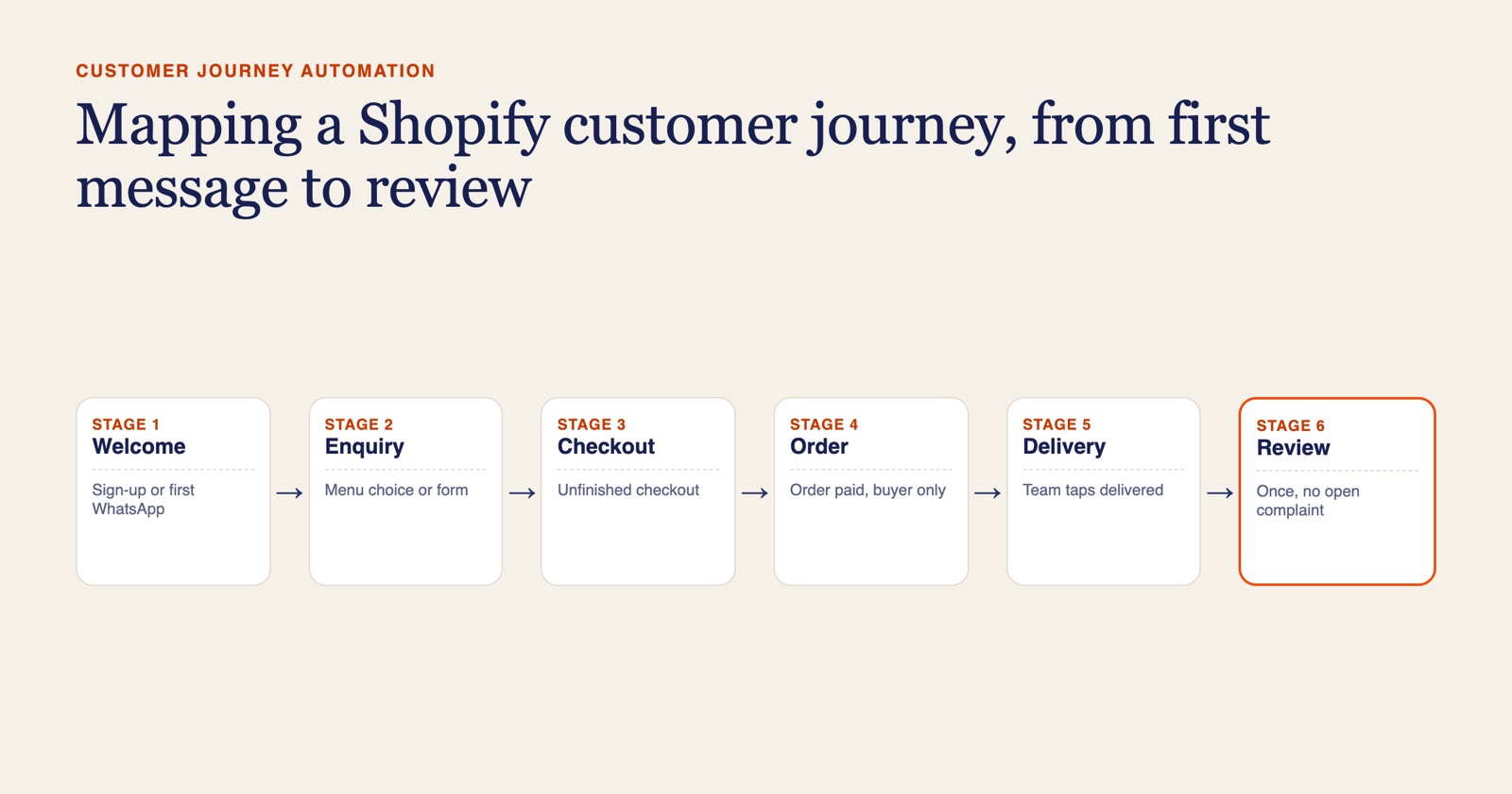
Shopify customer journey automation works when every step is written down as three things: the store event that triggers it, the message it sends on WhatsApp or email and the safeguard that stops it reaching the wrong person or going out at the wrong time. The messages are the easy part. A journey map that lists only messages breaks the first time an order is a gift, a customer complains or someone never ticked the marketing box.
We mapped this recently for a small Shopify gifting store that, until its relaunch, ran everything from staff WhatsApp phones. The wider story, including why we advised against a CRM for now, is in our write-up on godesign.ae. This post covers only the mapping. Nothing here is live yet: it is what we found and what we proposed.
What does a journey map need before it becomes automation?
One row per step, with a trigger, a message and a safeguard. The trigger has to be an event the system can see, not something a person happens to know. "When the order is delivered" is no use if no field anywhere records delivery. The safeguard has to be a check the system can run, so whatever it checks (consent, an open complaint, a pickup order) must also be stored as data.
So we reviewed the store before designing anything, walking the sign-up as a customer and checking what the admin actually recorded at each stage. Several steps the owner wanted had no trigger to hang them on.
Which Shopify event triggers each step?
This is the map we proposed. Shopify stays the source of truth for customers and orders and sends the email through Shopify Messaging. The WhatsApp platform sends WhatsApp messages and gives the team a shared inbox in place of their phones. WhatsApp carries most of the load, because a customer who leaves an email unread will still open a WhatsApp message.
| Stage | Trigger | Safeguard | ||
|---|---|---|---|---|
| Sign-up | The pop-up or form creates a customer, or a first WhatsApp message arrives | Welcome with a menu: new order, existing order or bespoke request | The welcome email already in Shopify, tightened up | Marketing only where that channel's box was ticked |
| Enquiry | The customer picks new order or bespoke, or sends the website form | Asks occasion, date, budget, delivery area and recipient, then hands over to the team | None; form answers are saved to the customer | Bespoke, urgent and complaint chats go straight to a person |
| Checkout | Checkout abandoned | A reminder | The abandoned-checkout email already running | Both stop once the order is placed |
| Order | Order placed | Confirmation with delivery date and time slot, or pickup details | Shopify's order confirmation | Sent to the buyer, never the gift recipient |
| Delivery | The team marks out for delivery then delivered (or ready for pickup) | One update per status | Optional | Fires only on a status the team recorded |
| Review | Delivered or picked up | Google review request | Optional | Once per order; skipped if a complaint is open |
| Seasonal | A date on the calendar plus a Shopify segment | Campaign template | Campaign email | Only on the channel each customer opted into |
Two things follow from the table. Most WhatsApp messages after the first reply go out as Meta-approved templates, because they land outside the 24-hour window that opens when a customer messages you. And two of the seven rows depend on a status the store was not recording at all.
Why does a "delivered" status have to exist first?
Because "Fulfilled" in Shopify does not mean delivered. The store marked orders Fulfilled at dispatch and recorded nothing after that, and with its own drivers there was no carrier tracking to fill the gap. A delivery update had nothing to fire on, and a review request timed off fulfilment would reach some buyers before the gift had arrived.
The fix we proposed is small on purpose: the team marks an order "out for delivery" and then "delivered", one tap each, and the flows fire only on the status the team records. No guessing from a timer. Pickup orders take their own branch, with a ready-for-pickup message in place of delivery updates and the review request once the order is collected.
Two extra taps per order is a fair thing to ask of a busy team. Without them, the flows asking "did it arrive" and "was it good" cannot run safely.
Who gets the message: the buyer or the gift recipient?
The buyer, every time. On a gifting store the shipping address, and often the phone number on the order, belong to the person receiving the gift, who may not know it is coming. Messaging that number spoils the surprise and contacts someone who never agreed to hear from you.
The risk is mechanical. Some WhatsApp integrations pick up the shipping phone by default, so the map names the field: messages go to the buyer's own WhatsApp number on the customer record, and recipient details are delivery data for the driver only. We also proposed a WhatsApp-number field at checkout, since buyers often use a different WhatsApp number from the phone number they type in.
When should each automation stop?
Every flow needs an exit as clear as its trigger. The ones we wrote in:
- The checkout reminder stops as soon as the order is placed. It runs alongside the abandoned-checkout email, so both need the same check, or a customer who has just paid still gets chased.
- The review request goes once per order and is skipped if a complaint is open. So a complaint has to be recorded somewhere the flow can read, such as a tag on the order, not only discussed in a chat.
- In enquiry routing, bespoke, urgent and complaint chats skip the menu and go straight to a person.
- Seasonal campaigns go only on the channel each customer opted into, starting with Christmas and Valentine's Day and kept as templates the team can copy for later dates.
The review row carries two safeguards for a reason: a gift buyer with a bad experience has plenty of other shops, and a cheerful review request is the quickest way to lose them.
How should consent work across WhatsApp and email?
Per channel, and recorded truthfully. The store's sign-up form marked every new contact as agreeing to email marketing whether the box was ticked or not. That had to be fixed first, because every later safeguard reads that field. A flag that always says yes looks like a check while letting everything through.
The map keeps email consent and WhatsApp consent as two separate values. Order and delivery messages relate to a purchase the customer made. Checkout reminders and seasonal campaigns are marketing and need the opt-in for that channel. Contacts carried over from staff phones are imported once and tagged by consent, so an old chat thread does not turn into a broadcast list by accident.
What should the enquiry capture, and why as real fields?
The enquiry flow asks for name, the WhatsApp number if it differs from the phone number, occasion and date, recipient, budget band, delivery area and marketing consent for each channel. Each answer has a later use: occasion and date feed segments and future reminders, delivery area tells the team whether the order is possible and budget band shapes what they suggest.
The catch is where the answers land. The store's sign-up form wrote the WhatsApp number into the customer's free-text note. A note is fine for a person reading the record, but no Shopify segment, flow or WhatsApp platform can filter on a sentence. Each answer needs its own field, such as a customer metafield or a tag, or it might as well not have been asked.
Structured answers also show, over a few months, what customers ask about most, which feeds the website's FAQs. And if the store moves to a CRM later, clean fields make that an import rather than a clean-up.
Where does a Shopify Flow or n8n step fill the gap?
Wherever the WhatsApp platform cannot write a detail back to Shopify. Most platforms read Shopify orders and customers well. Writing back is patchier: chat answers, a consent choice made in the chat or a status set in the shared inbox can stay inside the platform unless something copies them across.
It only takes a small step. A Shopify Flow workflow can react to a tag and update the customer or order. An n8n workflow can take a webhook from the WhatsApp platform and write the fields through Shopify's API. We said we would confirm which one, and for which fields, in week one against the platform itself rather than promise it untested. The rule stays the same either way: Shopify holds the truth, so anything a flow or a future CRM needs to read has to end up there.
Where this fits
This connects to the social DM to qualified buyer journey and our ecommerce and retail page. If your first touch is usually an Instagram message, see Instagram DM automation for online stores.
Mapping your own store's journey? Talk to us and bring a rough list of what happens today after someone messages you, places an order and receives it. We will tell you which steps already have a trigger to hang them on and which need the data fixed first.